
How can I set up multi-user roles for a Gmail enterprise account?
set up multi-user roles for a Gmail enterprise account
Email is the backbone of most business operations. From sending important emails to clients and collaborating with colleagues, email plays a vital role in every company’s workflows. For this reason, businesses should take email seriously and use professional tools to ensure their team’s productivity. The right tool will increase productivity and provide the best possible experience for their employees. To achieve this, companies should consider setting up a Gmail enterprise account that can be customized to suit their specific needs.
A gmail enterprise account can be customized to include the company’s logo and color scheme. It can also be configured with a custom domain for a more professional appearance and improved brand identity. This will help the business stand out in a competitive market and attract new customers. In addition to customizable features, a Gmail enterprise account will allow the company to set up advanced security features and policies for the protection of sensitive data. Additionally, it will be able to store and share documents through the cloud, ensuring that all employees have access to the latest files.
Using a personal Gmail account for work can be risky and look unprofessional. Many businesses use Gmail as their primary email but do not have a dedicated business email address. This can be problematic as it leads to confusion and miscommunication. It is important to have a separate email for work so that you can keep your personal and professional communications separate. This will also help you avoid losing important emails or accidentally sending confidential information.
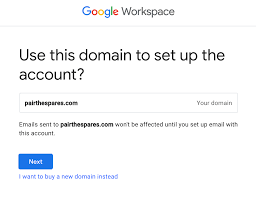
How can I set up multi-user roles for a Gmail enterprise account?
There are three main ways in which a Gmail account can be shared: delegated accounts, collaborative inboxes, and Google Groups. Each solution has its pros and cons and is best suited for different types of use cases. Delegated accounts and collaborative inboxes are designed to be used by teams of two or more people who need to manage incoming emails together. They can be used for managing requests, handling customer support tickets, or coordinating projects.
For companies that need a more powerful and flexible solution, Google Workspace offers a complete suite of products specifically designed to improve businesses’ online collaboration and workflows. With a Google Workspace account, you can get a custom domain for your email address, team-based group email addresses, and a full suite of workplace productivity and collaboration apps. Additionally, you can access 24/7 support and control resource ownership through the admin panel.
For small businesses, Google Workspace can be a great way to improve their email and collaboration processes without having to invest in expensive software and hardware. With the ability to easily integrate third-party apps and add ons, it can be easy for users to expand the functionality of Gmail by creating a more seamless work experience. By improving productivity, Google Workspace can help businesses be more efficient and effective at work. The right tools can make a big difference in your team’s overall performance and allow them to accomplish their goals faster and more efficiently.



Leave a Comment